We build retail systems around the needs of the chain
Checkout, the payment layer, inventory accounting, chain management, integrations and support after go-live.
Development and rollout of retail systems: checkout and POS on the sales floor, payment terminal, catalog and prices, stock levels and store inventory, loyalty, employee rights, analytics and a central chain management panel. Below is how each module is built, which systems and equipment it connects to, and which process it covers.
Retail software — a system that carries goods from receipt at the store to a printed receipt and recorded revenue, and keeps product, price and stock data identical across every location in the chain.
From the outside a store looks like a shelf and a checkout. Inside it is several connected programs: the POS application on the sales floor, store inventory accounting, the payment layer, the central chain system and an exchange layer with external systems — accounting, warehouse, CRM and the online store.
The line between a POS program and a retail system runs along the number of locations and where decisions are made. A single checkout is served by a local program on the checkout computer. As soon as there is more than one store, questions appear that a single location never faces: where the one and only product catalog lives, who changes a price everywhere at once, how goods move between stores and whose stock figure is the correct one.
The retail chain circuit — nine links connected by data:
The links are connected in both directions: catalogs and rules travel down from the central system to the locations, while sales, stock movements and equipment events travel back up. A break anywhere is visible immediately — as a price mismatch between the shelf and the receipt, a negative stock level or unrecorded revenue.
Not pages and not spreadsheets, but accounting objects — records with their own state, author and history:
Once a process is described in objects it becomes verifiable: every figure in a report has a document behind it, every document has an author and a timestamp, and every dispute has a record rather than someone's account of events.
Four questions that do not exist for a single location. The answers to them are what separates a chain system from a POS program:
Six jobs a store or chain rolls out retail software for. Until the system is in place, each of them is handled with spreadsheets, calls between locations and recounting from memory.
Products, barcodes, prices and discount rules are created once and spread to the locations. The store downtown and the store on the outskirts read one catalog, not two different files with different edit histories.
An item enters the receipt by barcode scan or by weighing, the price is filled in by a rule and the discount is calculated by the system. The cashier does not type the price by hand — which means they cannot mistype it or choose it themselves.
A sale writes goods off at the moment the receipt is closed; goods receipt and transfers do so at the moment the document is posted. The stock figure stops being a number from the last stocktake and becomes a working figure for supplier orders.
Price and discount are set by a rule for a group of locations, a category or a schedule. Repricing a thousand items ahead of a promotion takes minutes and can be rolled back, instead of turning into a tour of the stores with printouts.
A return, a void, a manual discount, a price change and a cash drawer opening are all records with an author, a timestamp and the previous value. A dispute is resolved from the log, not from what the shift says happened.
You can see what sells at each location and at what hours, which goods are not moving, where returns are growing and how much a promotion actually brought in once the discount is taken into account.
This is not one program but a set of interconnected software and hardware components. Each one is responsible for its own area and can be updated separately: the checkout on the sales floor is not rewritten because of a new report in the central panel.
The program on the checkout computer or POS all-in-one: the cashier screen, work with the scanner and scales, receipt calculation, the dialog with the payment terminal, document printing, the shift. It runs autonomously and keeps serving customers when the connection to the server is lost.
The physical layer: checkout computer, scanners, receipt printer, payment terminal, scales, data collection terminals, cash drawer, displays. Every unit is registered and tied to a store and a workstation.
The cashless payment layer: exchange between the checkout and the payment terminal, payment operation states, matching a payment to a receipt, refunds, handling declines and disconnects, reconciliation with the acquirer register.
Receiving data from the locations, applying rules, exchange queues, job and report schedulers, sending catalogs back out. It scales with the number of stores instead of being rewritten when the eleventh one opens.
Storage for accounting objects and their history: products, prices, stock, receipts, payments, movement documents, customers, employees, events. Operation records are immutable and backups are created on a schedule with restore verification.
The chain manager's workplace: stores, assortment, prices, stock, sales, promotions, employees, equipment, errors and key indicators in one interface, with role-based access rights.
Wherever the job calls for them: a merchandiser app for goods receipt and stocktaking with scanning, a manager app with a summary across locations, a customer app with a loyalty card and electronic receipts.
Exchange with external systems: accounting, bookkeeping, warehouse, CRM, the online store, payment services. Queues, message redelivery, format versions, an exchange log, regular reconciliation.
A data mart on top of operations: sales, average receipt, margin, turnover, returns, promotion effectiveness, cashier performance. It is calculated on a copy of the data so a heavy report never slows down the checkout on the sales floor.
The components are connected by mandatory links, not on a best-effort basis: the checkout does not work without the catalog, the catalog is meaningless without the central panel, and the panel is useless without data from the locations. That is why the system is designed as a whole and rolled out in parts — in an order where every step builds on the data from the previous one.
The POS program — is both the salesperson's workplace and the point where an operation becomes a document. Everything that happens on the sales floor reaches the system only through it: sale, return, discount, payment, cash-in and cash-out.
The requirement placed on it is stricter than on any other module: it must work fast, in a queue and when the connection to the server drops. That is why the checkout keeps a local copy of the product and price catalog and writes operations into a local queue instead of asking the server about every line in the receipt.
What the POS program does:
The requirements for the fiscal part — printing the receipt, its contents and data transmission — are set by the country's legislation and by the model of the connected device. The composition and order of exchange are clarified during the discovery stage rather than declared in advance.
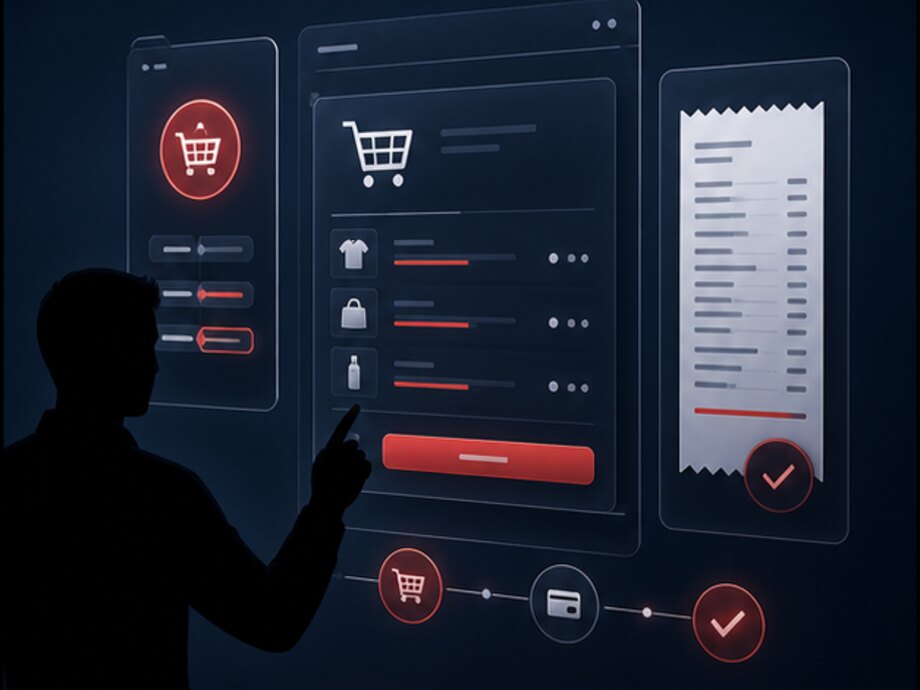
A connection to the server is not a condition for making a sale. The checkout keeps ringing up receipts against the local catalog, stacking operations in a queue; when the channel comes back, the queue is sent as a batch. Every operation has a key, so resending it never creates a second receipt or writes stock off twice.
The limits are stated honestly: while there is no connection, the checkout cannot see a price change the central system made a minute ago and cannot check the points balance on the server. What exactly is allowed in offline mode is a project decision: a sale may be permitted, for example, while redeeming points is deferred until the connection returns.
A shift is not a cashier's working day but a document with a start, an end, a cashier, a checkout and totals. Every receipt, payment, return and cash movement for the period is tied to it.
The program in the store does not work in isolation: almost every operation begins or ends on a physical device. Below is the equipment the POS and inventory software interacts with, and exactly what the system receives from it or sends to it.
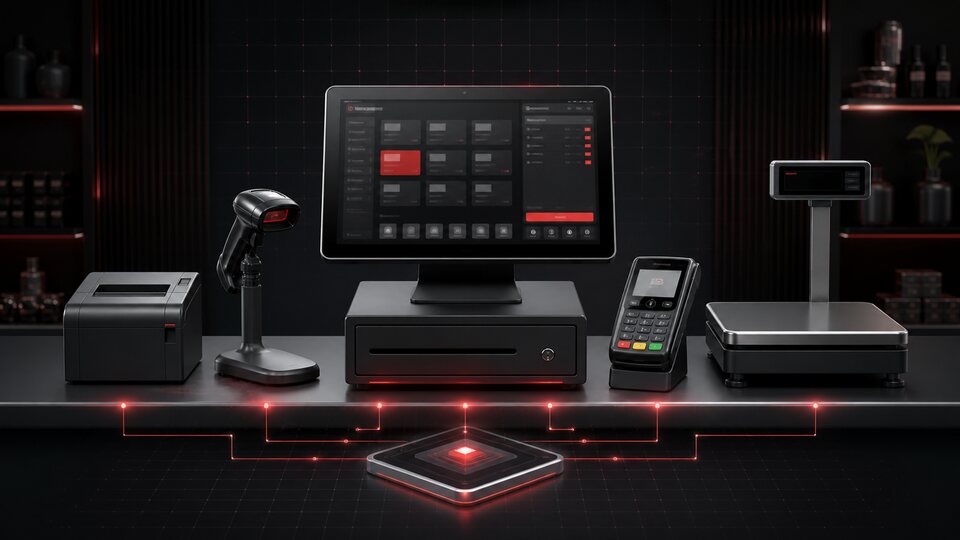
The device the POS program runs on. The system knows it as a workstation: the checkout, the shift, the set of connected peripherals and the login rights are all tied to it. Replacing the hardware does not break the sales history — the workstation stays the same accounting object.
The main way of entering an item into a receipt and into a stock document. One product item can have several barcodes — the supplier's, an in-house one, a packaging one. An unrecognized code is not lost: it goes into a queue to be linked to a product rather than into a product not found message.
Printing sale and return documents. The contents of the receipt, the order in which it is generated and how data is transmitted are determined by the country's requirements and the device model; the specific set is clarified during discovery. A document that was not printed or not transmitted is recorded as an unclosed operation.
Accepting cashless payment. The checkout sends the amount, the terminal runs the dialog with the cardholder and returns the result. The terminal is not a peripheral but a second system with its own state, which is why it has its own section below.
Working with weighted goods: the item enters the receipt with its actual weight and the price is calculated per kilogram. Scales can be checkout scales — the weight goes straight into the receipt — or pre-packing scales, which print a label with a barcode that encodes the product code and the weight; the checkout parses such a code and fills in the item.
Goods receipt, stocktaking, transfers and repricing with scanning right on the sales floor and in the store's stockroom. The device works without a permanent connection: the document is assembled locally and uploaded to the system as a whole, with a check for discrepancies.
The drawer is opened by the program at the moment of a cash operation. Every opening is an event with a time, a cashier and a reason; an opening without a sale goes onto the list of monitored operations. The same applies to the workstation's auxiliary peripherals — keyboards and employee card readers.
The display at the checkout shows the receipt lines, the discount and the total as items are scanned — the customer sees the price before paying, not after. Screens on the sales floor show promotions, selections and prices from the same catalog the checkout uses, so no mismatch between screen and receipt can arise.
Where they are installed, shelf labels receive their price from the same system as the checkout. This removes the main source of conflict on the sales floor — a price mismatch between the shelf and the checkout after repricing. Whether they can be connected depends on the management interface the particular shelf-label system exposes.
We do not claim support for specific equipment brands and models in advance. The set of connectable devices is determined during discovery, from the manufacturer's documentation and from the interface the device exposes; where no ready interface exists, the question is settled separately and before work begins, not with a promise of compatibility.
The payment terminal is the only place where a purchase becomes paid for, and the only node in the store that handles money directly. That is why it is described here as a layer of its own rather than as a line in a list of equipment.
The main difficulty is that the checkout and the terminal are two independent systems. The checkout has its own view of the receipt; the terminal has its own payment operation, which lives inside the acquirer's circuit and does not answer to the POS program. The two pictures matching is not guaranteed by physics: between the money is debited and the receipt is printed there is always a gap, and a connection loss, a power cut or a freeze can fall into it.
What the integration between the checkout and the payment terminal covers:
We do not name the bank, the terminal model or the payment protocol: the scope of the integration is determined by the exchange interface the specific terminal provides and by what the acquirer agreement allows. This is established during discovery and fixed in the project.
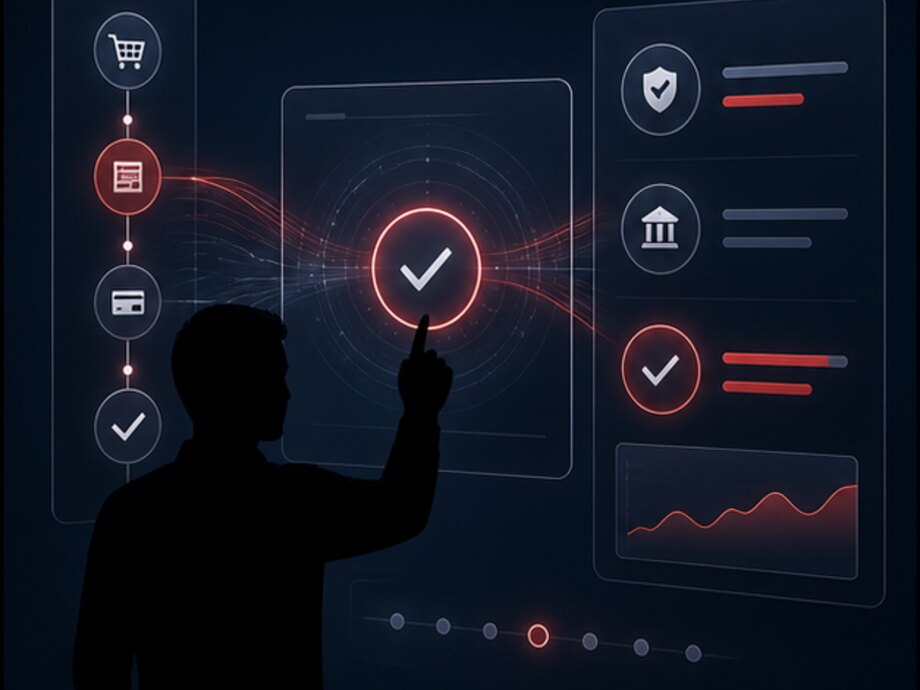
Keying the amount into the terminal by hand is the cheapest option to build and the most expensive one to operate. It allows a digit to be mistyped and the wrong amount to be charged, and above all it breaks the link between receipt and payment: matching them afterwards is only possible by time and amount, which is to say approximately.
When the amount is sent programmatically, the payment and the receipt are linked by an identifier on both sides. That is what reconciliation with the acquirer, the investigation of a disputed operation and the control of discrepancies between revenue in the system and money in the account all rest on.
The terminal is polled not only at the moment of payment. Its state is separate data that is needed before a customer is standing at the checkout:
Every state is an event in the log. A terminal that responds slowly or drops every tenth operation shows up in the equipment report long before the store manager reports it.
Paying by card is not a single action but a sequence of states, any of which can break off. Below is how the system runs the operation and what it does when the result is unknown.
The checkout builds a request: amount, currency, operation identifier, reference to the receipt. Until the terminal answers, the receipt is in the awaiting payment state and cannot be closed, changed or deleted.
The terminal returns the outcome: approved, declined, cancelled by the customer, error. On approval the result arrives together with the operation details used later to find it in the acquirer's register.
The payment operation identifier is written into the receipt and the receipt number into the payment record. The link is two-way, so either side restores the other: from the receipt to the payment and from a line in the bank's register to a specific sale.
A refund to the card is a separate payment operation tied to the original one. The system will not let you return more than was paid, or more than remains unreturned on that receipt, and the refund result likewise waits for the terminal's confirmation.
The most important scenario: the terminal did not answer. The system treats such an operation as neither successful nor unsuccessful — it marks it as requiring investigation and does not let the receipt be closed quietly. The outcome is then clarified by querying the operation state or through reconciliation.
Terminal availability, the share of failed operations, response time and unclosed days are collected for every device. Problem equipment shows up in a report rather than through complaints from the sales floor.
A screen from the system: the figures are illustrative. The key step is the second one: until the amount is sent programmatically, steps six and seven are performed by a human from paper slips.
| What happened | What the checkout does | State |
|---|---|---|
| Card declined | Offers to retry or choose another payment method; the receipt stays open | normal |
| The customer cancelled the operation | Returns the receipt to work, the payment operation is closed as cancelled | normal |
| The terminal did not answer in time | Does not close the receipt, queries the operation state and, where this is unclear, blocks manual closing | investigation |
| Power was lost between payment and printing | After startup it restores the unfinished receipt and requires the payment outcome to be established | investigation |
| Payment went through, the receipt was not printed | Keeps the operation open, reprints without a second charge | investigation |
| The payment is in the register, the receipt is not in the system | Sends the discrepancy to the reconciliation queue with the amount, time and terminal | investigation |
| The terminal requires end of day | Tells the cashier before the operation starts, not after the card has been inserted | warning |
The general principle: an unknown outcome never turns into either a success or a decline. The operation stays open and goes into the investigation queue — that is cheaper than charging the customer twice or leaving the store with unrecorded revenue.
The specific exchange protocol with the terminal, the set of available payment methods, whether an operation can be voided and the behavior on a connection loss are all set by the device model and the acquirer's rules. We describe the layer built around them and clarify its scope during discovery — without claiming compatibility with a particular bank or terminal in advance.
A catalog in retail — is not a storefront but the reference data the checkout lives on. An error in it costs more than an error on a website: a wrong barcode stops the queue, and a duplicate item splits the stock of one product across two cards.
What a product item consists of:
Bulk operations run as a file import or an exchange with the accounting system. An import is always validated before it is written: what will be created, what changed, what rejected and why. An item with a duplicate barcode is not created silently — it goes into the rejection report.
Stores in a chain are not identical: their format, floor area, neighborhood and customer all differ. The assortment matrix answers the question of which items from the shared catalog are sold at a specific location.
There is one product in the catalog, but its state at each location is its own. This is the main difference between chain accounting and single-store accounting:
| Store | In the matrix | Price | Available inventory |
|---|---|---|---|
| Downtown | yes | 395 | 42 |
| Residential district | yes | 385 | 7 |
| Highway | no | — | 0 |
The figures are illustrative. Different prices are not an error but a rule: a location on the highway and a neighborhood store live in different price groups. The error would be the same value arrived at by editing it manually in three places.
The price on the receipt is the result of a calculation under rules, not a number from the product card. That is why repricing does not require editing thousands of items, and a disputed amount on a receipt is resolved through the layers of the calculation rather than from the cashier's memory.
An item has several prices at once: a base price, a price by store price group, a price for a specific location. The system picks the applicable one at the moment of ringing up. The store downtown and the store on the highway work from one catalog under different rules.
A percentage or an amount on top of the purchase price by category, supplier or product group. A goods receipt at a new purchase price recalculates the retail price automatically instead of leaving it at the level of the previous delivery.
A trigger condition, discount mechanics, start and end dates, recurring windows. A promotion starts and stops by itself — an employee does not have to be on site at midnight to switch on the weekend price.
A percentage, a fixed amount, a new price, a discount on the cheaper item in a set, second one half price, a gift on condition, a category discount above a receipt total. The mechanics are set by a rule rather than recalculated by the cashier.
A single code for a campaign or a batch of unique codes for individual recipients. Validity, the usage limit, the per-customer limit and compatibility with an active promotion are all checked. Redemption is recorded on the receipt — for every code you can see where and when it was used.
Discount compatibility is defined explicitly: which ones stack and which are mutually exclusive. A minimum price limit prevents several individually correct discounts from together taking an item below the permitted floor.
The figures are illustrative. The line about the promo code that did not apply matters more than the rest: at the checkout the customer should be given the reason for the refusal, not just told the code is not valid. Every step of the calculation is stored on the receipt and available when a disputed purchase is investigated.
A stock figure is not a reference value but the result of every posted document for an item at a specific location. If stock does not add up, the reason is always in the documents: something was not posted, was posted twice or was posted in the wrong place.
That is why the system does not allow stock to be changed directly. Every change is a document with a type, an author, a timestamp and a set of line items.
Goods movement documents:
Every document goes through two states: a draft that can be edited, and a posted one that changes stock and can only be corrected by a reversing document. That is what separates accounting from a spreadsheet.
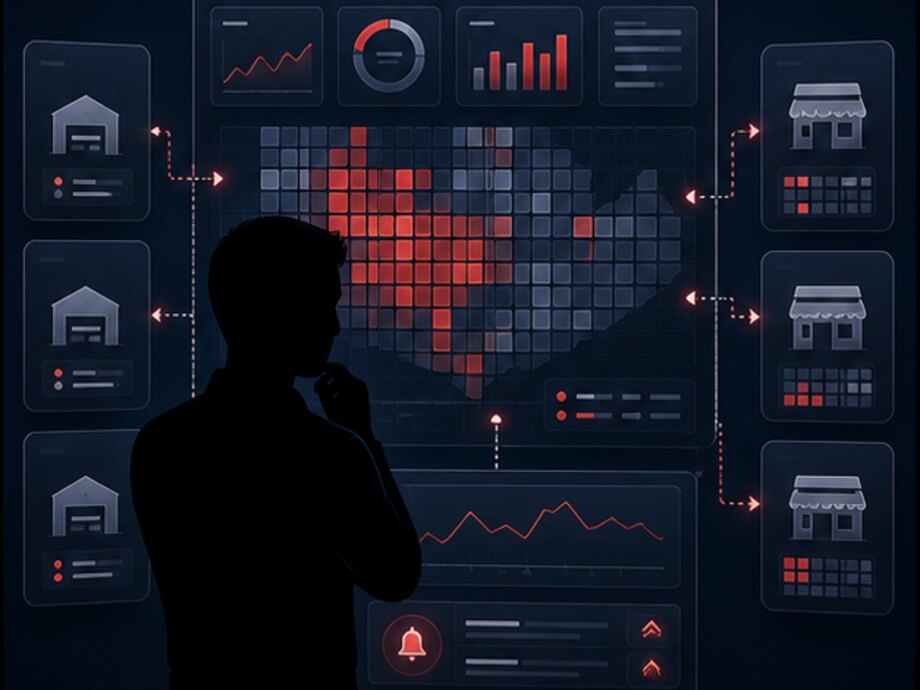
Stocktaking is not a matter of counting everything once a year. In a working system it comes in two kinds, and the second matters more than the first.
The list is short and almost always the same. The system does not remove these causes by itself — it makes them distinguishable:
Regular partial stocktaking in problem categories finds these cases within a week rather than within a year — and traces each one to a specific document and a responsible person.
One store is managed by voice and a notebook. Three, by a spreadsheet and a conference call. Twenty, no longer: by that point nobody in the company can state the current price of an item across all locations without calling each one. A central system is needed not for the sake of tidiness but because the manual approach stops scaling at a very specific number of locations.

Growth passes through three states, and each one breaks something different. One store — the data at the checkout is enough. Several stores — the question of whose catalog is the master appears, and goods start moving between locations. Dozens and hundreds of locations — management becomes a job of its own: without a single screen the chain director hears about a problem from the store rather than from the system. Below is what the central panel shows and what it controls.
A register of locations: format, address, floor area, price group, assortment matrix, opening hours, responsible staff, equipment and workstations. A new location is opened by copying the settings of a similar one instead of being assembled from scratch.
A single catalog and matrices by group of locations. Adding and withdrawing an item is a managed action with a date and a scope: which stores are affected, from what date, and what to do with the remaining stock of a withdrawn item.
Pricing rules by price group and location, scheduled repricing with an effective date, a change history. Centralized repricing is described separately below — it is the most sensitive operation in a chain.
Stock for every item at every location and across the chain as a whole, goods in transit between stores, slow-moving items, items running out. Transfers from a store with a surplus to a store with a shortage are initiated from here as well.
Receipts from every location in one stream: revenue, average receipt, number of receipts, sales by product group, comparison between locations and against their own previous period.
Campaigns with a scope by store group, a schedule and limits. You can see where a promotion is already running, where it will start, how much has been sold at the promotional price and what result it delivered once the discount is taken into account.
User accounts, roles and rights, assignment to locations, shifts and their totals. Rights are granted by role rather than configured individually per person — otherwise they cannot be audited in a chain of fifty stores.
A register of checkouts, terminals, scales and other devices tied to workstations, with the software version, state and service history. You can see where an outdated version is installed and where a device keeps failing.
A single feed of deviations across the chain: a checkout offline, a terminal not responding, an exchange that failed, a document not posted, a stocktaking discrepancy. A deviation is addressed to a responsible person and has a deadline — otherwise it is just a log.
Cashless operations across all locations, the share of failures, unclosed terminal days, the results of reconciliation with the acquirer register and the list of discrepancies requiring investigation.
Revenue, margin, average receipt, turnover, return rate, losses, plan fulfilment — by chain, format, region and location. One set of definitions for everyone, not a separate formula in every report.
What went out to the locations and when, what came back, which messages were not delivered and why. A store that has not sent its sales for a day is visible here rather than discovered at month-end close.
Synchronization is not a shared database for everyone. A store must be able to sell when there is no connection to the central server, so every location has its own working copy of the data and the exchange runs on messages.
The downward flow, from the center to the locations: the product and barcode catalog, prices and pricing rules, promotions and promo codes, the assortment matrix, equipment settings, user accounts and rights, updates to the checkout software.
The upward flow, from the locations to the center: receipts and their line items, payment operations, goods movements, shift totals, equipment events, stocktaking results, employee actions.
The rules this runs on:
The most sensitive operation in a chain: it affects every location at once and is visible to customers the same day. That is why it is built as a document with an effective date rather than as an edit to reference data.
A screen from the system: the figures are illustrative. The point of step five is that a store without a connection does not drop out of the repricing and does not go on trading at the old price indefinitely. The document will be applied later, but from the correct date.
Repricing is reversible: the document can be cancelled before it takes effect or superseded by a new one. The previous values are stored for every item, so returning to them is an operation rather than a restore from backup.
Checkout and POS
Payment layer
Goods and stock
Chain management
Loyalty begins not with points but with identification: while a purchase is anonymous, the program has nothing to work with. The module's job is to link the receipt to the customer at the checkout in seconds without holding up the queue.
Ways of identifying a customer at the checkout: a plastic card with a barcode, a phone number, a QR code in the mobile app, a virtual card. The method is chosen by store format: where the queue is long, keying in a phone number by hand is a poor solution.
What the module can do:
A loyalty program lives on the sales floor, not in a marketing report. Its requirements are set by the queue:
The figures are illustrative. The third line matters: the cap on the share paid with points is a rule, not a cashier's decision. So does the fifth: points are accrued on the portion actually paid with money, otherwise the program starts accruing to itself.
Purchase and segment data is what connects loyalty to the analytics and to the AI scenarios below: an offer makes sense when it is built on a specific customer's purchase history rather than on a blanket mailing to the database.
A store handles money and goods, and the people working there carry different levels of responsibility. Access rights are not about secrecy but about making sure every action has an author, that a routine operation does not require a supervisor, and that a risky one is never performed silently.
How the rights model is built: permissions are granted to a role, the role is assigned to an employee, and the employee is tied to locations. Individual settings for every worker in a chain of fifty stores can neither be issued nor audited.
The action log is not an archive kept just in case. It is a working tool: it is used to resolve a disputed purchase, a shift shortage and a customer complaint, and it also feeds the operation control section below.
The set of operations and their distribution across roles is configured for the specific chain. Below is a typical framework that the configuration starts from:
The last line is not a mistake. The right to see everything is granted as carefully as the right to change a price: a store manager is responsible for their own location and sees that one, not the one next door.
The system does not prevent abuse automatically and does not pass verdicts. It makes operations observable: it sets the rules, records every deviation from them and collects similar cases into a queue for a human to review. This is a control layer, not an anti-fraud engine that catches everything.
The return rate is calculated by cashier, location, product group and time of day. A deviation from the usual level is a signal: returns with no customer present, returns at the end of a shift, repeated returns of the same item.
Voiding a receipt before it is closed and removing lines from a receipt are normal operations, but their frequency for a specific cashier is compared with the level for the shift and the location. A sharp skew goes into monitoring.
A discount applied by hand, a discount on every purchase by the same customer, a discount on high-margin items at the end of a shift. Every case is stored with its author, its justification and its amount.
The right to change a price at the checkout is an exception, not the norm. Where it has been granted, every use is recorded with the previous and the new value and goes into a separate report instead of dissolving into the general log.
A working profile: average receipt, share of cash, share of returns and voids, number of drawer openings without a sale, working someone else's shift. The comparison is made against the same cashier in the past and against colleagues at the same location.
A payment in the acquirer register with no receipt in the system, a receipt with no payment operation, different amounts on the receipt and in the payment. Every discrepancy is raised with its amount, time, checkout and terminal.
Sales outside the location's opening hours, zero-total receipts, a repeated receipt with identical line items, a drawer opening without a sale, logging in under someone else's account.
An immutable record of every significant operation: author, time, workstation, previous and new value. It is stored separately from working data, so it cannot be edited along with it.
Granting and revoking rights, changing pricing rules, disabling a check, closing a shift manually, access to a customer database export — these are recorded separately and reach the responsible person immediately rather than at month-end.
| Signal | What the system knows | What a human checks |
|---|---|---|
| A cashier's return rate is three times the location average | 14 returns in a shift, 11 of them in the last hour, all in cash | Camera recordings, whether customers were present, the employee's explanation |
| A manual discount was applied 23 times | One cashier, one range of amounts, different product groups | The grounds for the discount, whether an instruction exists, whether the customer repeats |
| A payment in the register with no receipt in the system | The amount and time match the shift, the receipt is missing | A connection failure or an unrecorded sale — check the checkout log |
| The cash drawer was opened 40 times without a sale | One checkout, one shift, intervals of 3–5 minutes | Making change, a technical problem with the lock, or cash removal |
| Stocktake: a shortage in a single category | The discrepancy is only in the tobacco group, three locations in a row | Goods receipt, transfers, write-offs and access to the storage area |
A screen from the system: the figures are illustrative. Not one line means a violation — each one means the figures deviated from the usual and that this needs explaining. The difference is fundamental: the rule raises the question, a human gives the answer.
The practical value of this layer is speed. Without it a discrepancy is found at the stocktake, months after the event, when neither records nor memories remain. With it a deviation is visible the next day, and the investigation runs against a specific receipt, a specific shift and a specific operation.
Analytics in retail is not about pretty charts but about answering four questions: how much did we earn, on what exactly, what is getting in the way, and what to do about next week's order. Everything else is derived.
It is calculated on a copy of the operational data rather than on the live database: a heavy year-long report must not slow down the checkout on the sales floor.
What the system calculates:
Regulatory reporting is handled separately: shift and daily reports by location, statements for accounting, acquirer reconciliation, data for the accounting system. It has a schedule and recipients, so it does not depend on someone remembering it at month-end.
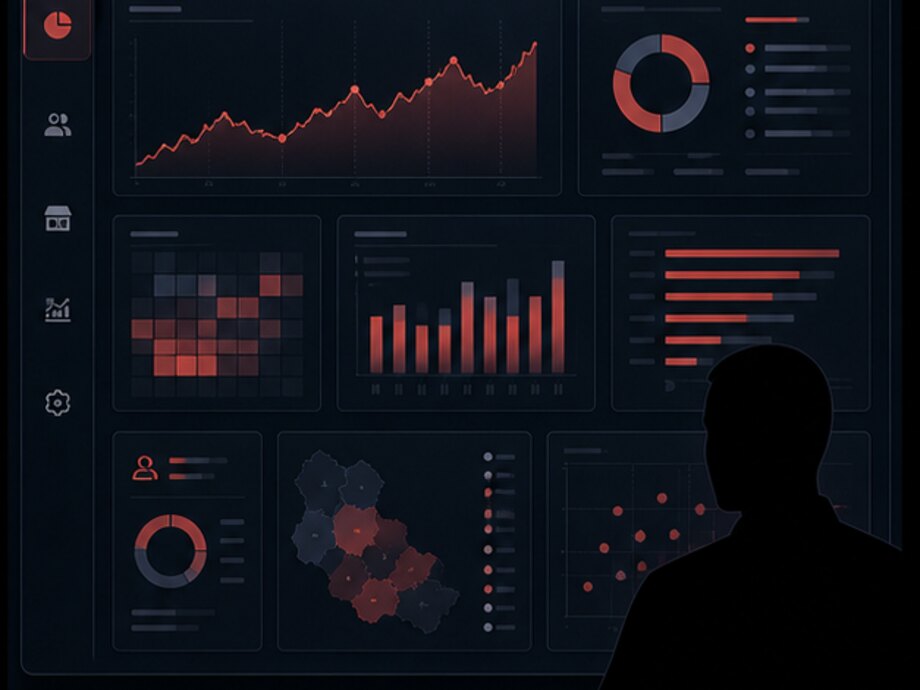
The most common reporting problem in a chain is not a lack of figures but several different figures for the same indicator. Revenue with and without returns, average receipt per receipt and per customer, margin at list price and after actual discounts all give different numbers, and arguing about them eats more time than the analysis itself.
That is why indicator definitions are set in the system once and used by every report. Changing a definition is a managed action with a date, not an edit to a formula in someone's spreadsheet.
A screen from the system: the figures are illustrative. The order of the tiles is not accidental: sales do not come first — the locations that sent no data do, because until they are in, every percentage below is calculated on an incomplete picture.
A retail system is rarely the only one in a company: accounting, bookkeeping, the warehouse and the online store are usually already running. Integration is needed not as a formality but so that the same data is not entered twice and does not drift apart between systems.
It usually owns the item list, suppliers and purchase prices; the retail system owns sales, retail prices and stock by location. The direction of exchange for each reference book is stated explicitly — otherwise two master sources start overwriting each other.
Exporting revenue by location and legal entity, goods movement documents, write-off statements, return data and cashless operations. Frequency and scope are determined by accounting requirements rather than by what is convenient to export.
Customers, segments, purchase history, points and personal offers. Purchase facts leave the retail system, segments and campaigns arrive from CRM — and at the checkout they turn into a specific discount or offer.
Where the chain has a distribution center: store requisitions, shipments to locations, goods receipts, returns to the warehouse. A transfer remains an operation with two halves even when the halves live in different systems.
A shared catalog and prices, store stock as the source for click-and-collect, an order picked in the store, an online purchase returned at the checkout. A detailed look at the storefront and orders is on the e-commerce page.
Exchange between the checkout and the terminal, receiving the operation register for reconciliation, refund statuses. The scope is determined by the terminal model and the acquirer agreement and is clarified during discovery.
Employees, assignment to locations, shift rosters. The shift at the checkout and the shift on the timesheet stop being two separate records that a person has to reconcile.
A documented system API for third-party consumers and connections to external services: mailings, messengers, receipt and notification services, partner programs. The format is versioned — a change is released as a new version while the old one keeps working.
Asynchronous processing, redelivery at a growing interval, an idempotent receiver, a log of every message with its body and result, regular reconciliation of key figures. A discrepancy becomes a task instead of being discovered at month-end close.
One question is always settled before any exchange is built: which system owns which reference book. Until it has an answer, an integration turns into a cycle of mutual overwrites that cannot be debugged.
A retail chain accumulates data faster than it can read it: receipts by item and by hour, stock by location, goods movements, employee actions, equipment events. AI here is not a separate product but a layer on top of that data, answering the questions a human does not have time for.
The pattern is the same in every scenario: data → analysis → result → action. A scenario without that last link stays a demo.
Practical scenarios:
The boundary is stated honestly: a model works on accumulated history. While sales are not recorded by item and by hour and goods movements are documented after the fact, there is nothing to forecast — the accounting layer comes first, analytics on top of it second. A detailed look at this area is on the artificial intelligence adoption page.
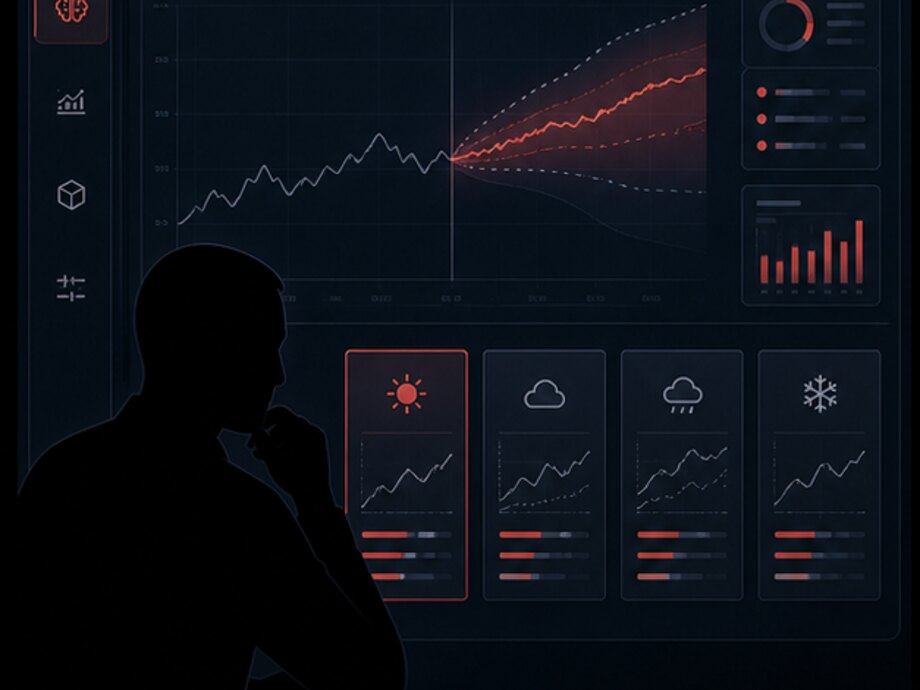
The fourth step is mandatory. A recommendation that goes into an order without a human turns a model error into a real purchase — and the last step turns that error into a correction.
Some of the goods in a store are kept in equipment that has an operating mode: refrigerated display cases, freezer chests, cold rooms in the back office. A deviation in that mode is invisible in inventory accounting — it shows up as a write-off several days later.
That is why equipment monitoring sits alongside the retail layer: the same locations, the same responsible people, the same principle that a deviation is addressed to a person and has a deadline.
What is put under observation in a store:
The link with retail is direct: temperature history proves the storage conditions to an inspector or a counterparty, and an early deviation reduces write-offs — which means it lands in the same loss reports as stocktake shortages.
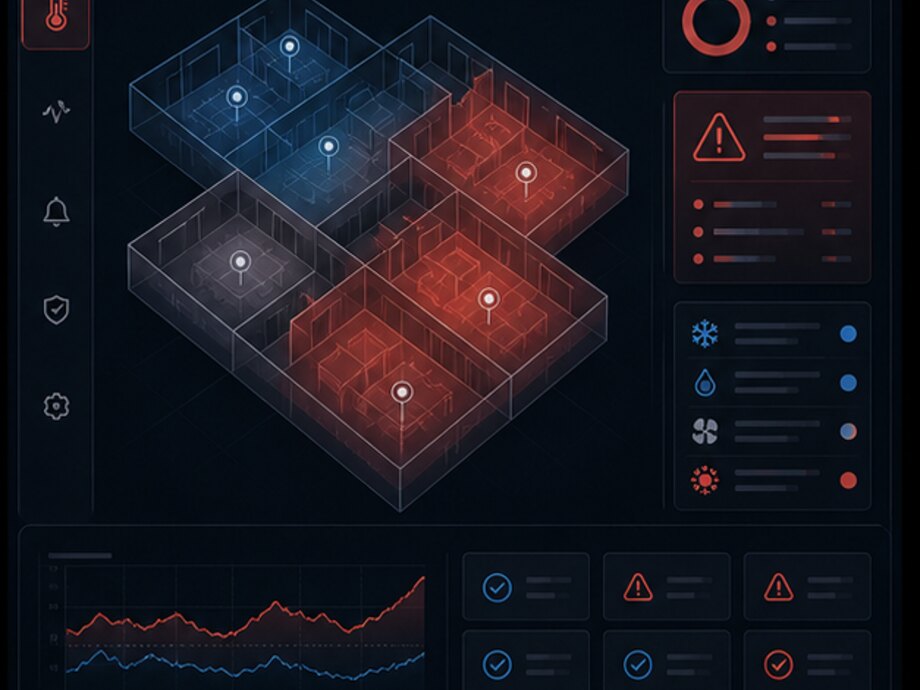
What can physically be read from a specific unit of equipment is a question for its controller: some models expose values and errors, others require external sensors. This is established during discovery from the manufacturer's documentation.
A full look at this area — sensors and controllers, communication channels, the server side, a single panel, notifications and remote control — is on a separate page about IoT monitoring and equipment control.
The scope is assembled around the task: a single store does not need matrices and inter-location transfers, while a chain of forty stores cannot manage without them. Below is the full list the configuration is drawn from.
The cashier screen, receipt assembly, work with the scanner and scales, payment, document printing, parked receipts, offline mode.
Opening and closing the shift, interim and final reports, cash-in and cash-out, discrepancy calculation.
Exchange with the payment terminal, operation states, matching a payment to a receipt, refunds, resolving unfinished operations, reconciliation.
A return by receipt number, a partial return, a check on what has already been returned, refunding money and points, the return receipt.
Items, barcodes, units of measure, weighted goods, categories, suppliers, circulation rules, statuses and the archive.
Assortment composition by group of locations, adding and withdrawing items with a date, control of sales outside the matrix.
Price groups, markup rules, scheduled repricing with an effective date, the minimum price, a change history.
Trigger conditions, mechanics, scheduling, scope by location, limits, compatibility, code generation and redemption.
Stock by location and across the chain, goods in transit, reservations, low-stock thresholds, items with no movement.
Arrivals from a supplier and from the distribution center, scanning, comparison with the delivery note, recording discrepancies.
Dispatch and receipt as two halves of one operation, goods in transit, control of unclosed transfers.
Breakage, spoilage, expiry, internal consumption, a defect return referencing the original goods receipt.
Full and partial, recounting by scanning, discrepancies in units and money, approval of the result.
A register of stores, groups of locations, format settings, opening a new location by copying a configuration.
A single screen for the chain: sales, stock, prices, promotions, equipment, errors, key indicators, exchange status.
Exchange queues, effective dates, confirmation of application, redelivery, logging and reconciliation.
Customer identification, points, tiers, expiry periods, segments, personal offers, communications.
Profiles, data processing consents, purchase history, communication channels, merging duplicates.
Roles and permissions, scope by location, supervisor confirmation of operations, an action log, revoking access.
Monitoring rules, an investigation queue, reports on returns, discounts and voids, recording of critical events.
Checkouts, terminals, scales, scanners and other devices tied to workstations, with versions and a service history.
Temperature, doors, power, controller errors, loss of connection; events with an addressee and a response deadline.
Sales, margin, turnover, returns, losses, promotion effectiveness, employee performance, ad hoc breakdowns.
Exchange with ERP, bookkeeping, CRM, the warehouse, the online store and external services. APIs, webhooks, queues, logging.
A system is not launched all at once across the whole chain. The order below reflects the dependencies: every step builds on data that appeared in the previous one and is verified at a single location before being rolled out.
Current processes, reference data, equipment at the locations, the systems that own the data, requirements for the fiscal part. The result is an entity diagram, an integration map and a list of constraints.
Migrating the item list, barcodes, prices, goods receipt and stock, a checkout workstation with connected equipment and a payment terminal. Go-live at one location.
The central panel, assortment matrices, centralized prices and promotions, transfers between locations, synchronization and access rights. Connecting the remaining stores.
Loyalty, operation control, analytics, equipment monitoring, AI scenarios on the accumulated history. Every block is a separate release with a measurable result.
Tell us how many locations you have, what is already running — checkout, accounting system, warehouse, online store — and what equipment is installed on the sales floor. We will go through the process, say what can be migrated and what will have to be built from scratch, and propose a rollout order.