We will look at your site and equipment and tell you what can be connected
Which cabinets and locks are already installed, what they expose, which access scenarios you need and where it makes sense to start.
A cabinet of lockers is metal and locks. Software turns it into a service: a person gains access by code or card, the locker opens by itself, the system knows which locker is occupied, by whom and until when, and every opening stays in the log. Below is how it works — from a tap on the screen to the click of the lock and the entry in the history.
Locker software — a system that decides who gets which locker, opens its electronic lock at the right moment and keeps a record of every opening: who, when and on what grounds.
The difference from an ordinary cabinet is clear from a single example. With a key or a padlock, a person is responsible for the locker: they handed out the key, remembered the number and took it back. A lost key means forcing the door, a dispute is settled by what the shift remembers, and how many lockers are free right now is known only by whoever is standing there.
An automated locker has no key. The right to open the door is a record in a database: this code is valid for that locker until that time. A code can be issued, revoked, extended and passed to someone else without going anywhere near the cabinet. And the occupancy of every locker at every site is visible in one list.
An example. A shopping center visitor leaves their bags in a locker: they scan a QR code at the screen, the door opens, they close it and walk away. Two hours later they open the same locker with the same code. Two opening records remain in the system, along with the storage start time and a note that the locker has been freed up and is ready for the next session.
Luggage storage automation begins where the answers to three questions no longer fit in the attendant's head: how many lockers are occupied right now, who exactly opened a particular locker today at 14:20, and what to do about belongings that have been sitting there for a second day.
The link works both ways: the command travels left to right, the confirmation comes back. An opening counts as having happened not when the command is sent but when the door sensor answers. Without that step the system would report what it believes about its lockers rather than what is actually happening on site.
The equipment looks similar — the same cabinet, the same locks, the same codes. The difference is in the purpose. A parcel locker hands someone else's parcel to a recipient: a courier puts the item in, the addressee takes it out, the compartment is freed. Luggage storage is rented to a person for a period: they put their own belongings in and take them out themselves, and the locker is charged by duration.
Hence the different requirements for the software: for a parcel locker what matters most is the link to the online store and the delivery service, while for luggage storage it is the session, the term, the extension and returning the locker to circulation. Order collection is covered in detail on the self-service systems page.
The whole path a single request takes — from the person at the cabinet to the entry in the log. Further down the page each of these links is examined in more detail.
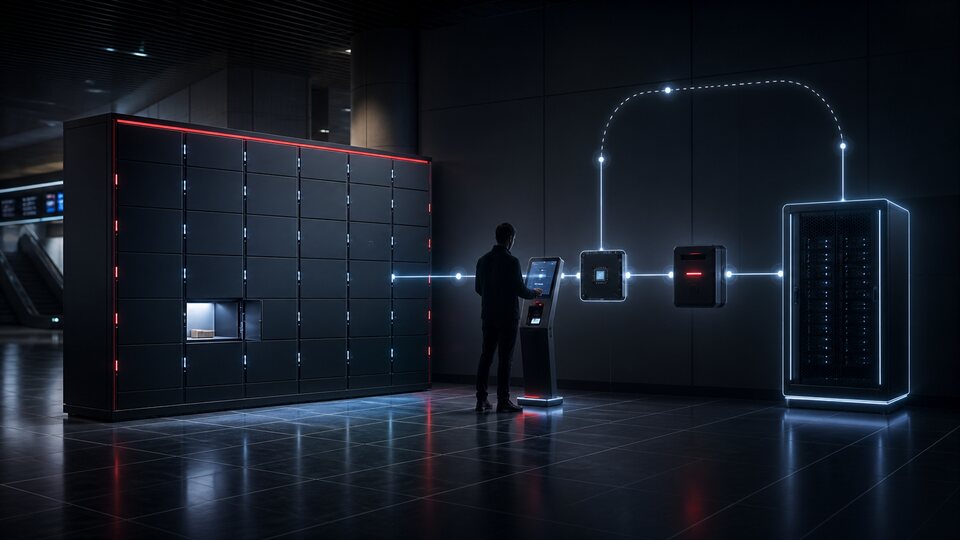
The physical part: cabinet sections, lockers of different size types, doors. Every locker is registered in the system as a separate object with its own number, size, zone and state. The cabinet can be extended with a new section — in software terms that is adding lockers, not a rebuild.
A lock opened not by a key but by an electrical pulse from the controller. A door sensor usually sits next to it and reports whether the door actually opened and closed. A lock without a sensor works too, but then the system only knows about the command, not about the result.
A small device inside the cabinet that all the locks and sensors are wired to. It receives the command open locker 14, sends a pulse to the right lock and returns the result. One controller serves dozens of lockers, so the cabinet connects to the system over one channel rather than forty wires.
Whatever the person uses to reach the system: a screen on the cabinet, a separate terminal in the hall, a card reader or their own phone. There can be several at once — the scenario is the same, only the input method differs.
Where decisions are made. The server holds the lockers, sessions, codes, rights and log, validates the request and sends the command to the controller. It also counts the storage period and prepares notifications and reports. Hosting — in a data center or on the customer's own equipment — is decided by the project.
The workplace of a site employee: a map of cabinets, locker occupancy, active sessions, events, manual opening, blocking a locker, roles and reports. It opens in a browser, with nothing to install.
The order matters exactly as it stands. The rights check happens on the server, not in the cabinet: the controller does not store codes and does not decide who to let in — it carries out a command. That is why access can be revoked from the panel in a second, without going near the equipment.
The system is assembled from modules. Not every site needs all of them: office lockers do not need a payment module, and luggage storage at a railway station does not need corporate roles. The composition is determined by the task, but the modules are designed to fit together in advance rather than being bolted on later.
What the person sees: the cabinet screen, a browser page behind a link, or a mobile app. Three or four steps — choose a size, get a locker, open it, close it. Errors are explained in words: the storage period has expired, not error 403.
The employee's workplace: cabinet occupancy, active sessions, events, manual opening with a stated reason, blocking a locker, tariff and rule reference data, reports. All in a browser, with role-based separation.
A register of lockers: site, cabinet, number, size type, zone, current state and history. A locker can be taken out of circulation for repair, reserved for a specific purpose or grouped with others under shared access rules.
The layer that works with the lock: the open command, waiting for a response, handling a failure, retrying. The lock type is accounted for here too — with or without a door sensor, with feedback on the bolt position or with a pulse only.
Exchange with cabinet controllers: the command queue, connection monitoring, port state, firmware version. Different models are connected through separate exchange modules but look identical in the interface.
Checking who is standing at the cabinet: QR code, PIN code, card, an account in the app. The methods can be combined and enabled per site — a code on one cabinet, an employee card on another.
A locker is taken in advance: for a period, for a date, for a recurring interval. The reservation holds the locker until the person arrives and is released automatically if they do not come — otherwise half the cabinet stands reserved for nothing.
Where storage is paid: the tariff, calculating the amount, payment, a surcharge for overstay, refunds. The specific payment methods depend on the connected provider and equipment — this is an integration, not a built-in function.
Messages to the user and to the employee: the access code, a reminder that the period is ending, a door left open, a locker freed up, a cabinet failure. The delivery channel is chosen during rollout.
An immutable history: openings and closings, access refusals, service openings, changes to tariffs and rights, employee actions. Records are not edited — a correction is entered as a new record.
The state of cabinets and locks: whether the controller is connected, whether the lock responds, whether a door is stuck, whether there is power. A faulty locker is taken out of allocation automatically rather than discovered by a visitor.
Attendant, site administrator, service team, manager. Manual opening, extending a session, changing a tariff and viewing personal data are separate rights, not one administrator bundle.
The system's external interface: issue a locker, get a code, check a state, close a session, pull the log. It is how accounting systems, CRM, the site's access control system and the customer's own services connect.
Utilization by hour and by day, locker turnover, the distribution across size types, the share of overstays, equipment failures, revenue where storage is paid. Reports export to a file and can be built on a schedule.
The core that ties all of the above together: session accounting, command queues, the scheduler for deadlines and notifications, log storage, backups with restore verification.
There are two access scenarios, and they do not replace each other. In the first, a person walks up to a free cabinet and takes a locker on the spot. In the second, a locker is assigned to them in advance: reserved, rented by the month or issued as a workplace locker.
Access on the spot. The visitor chooses a size on the screen, the system picks a free locker of that size type and opens it. At the same moment a storage session is created and a code is issued — on the screen, on a printed slip or in a message. That code is the key: it works only for that locker and only until the end of the period.
An assigned locker. Here the person themselves becomes the key: an employee card, an account in the app, a permanent PIN. The locker opens once they are recognized, no new session is created on each visit, and the term is set by a contract or a schedule rather than by hours of storage.
What happens between openings:
A screen from the system; the times are illustrative. Note the last step: the locker goes back into circulation at the moment the session closes, not whenever an employee notices. Otherwise by evening half the cabinet is recorded as occupied while physically standing empty.
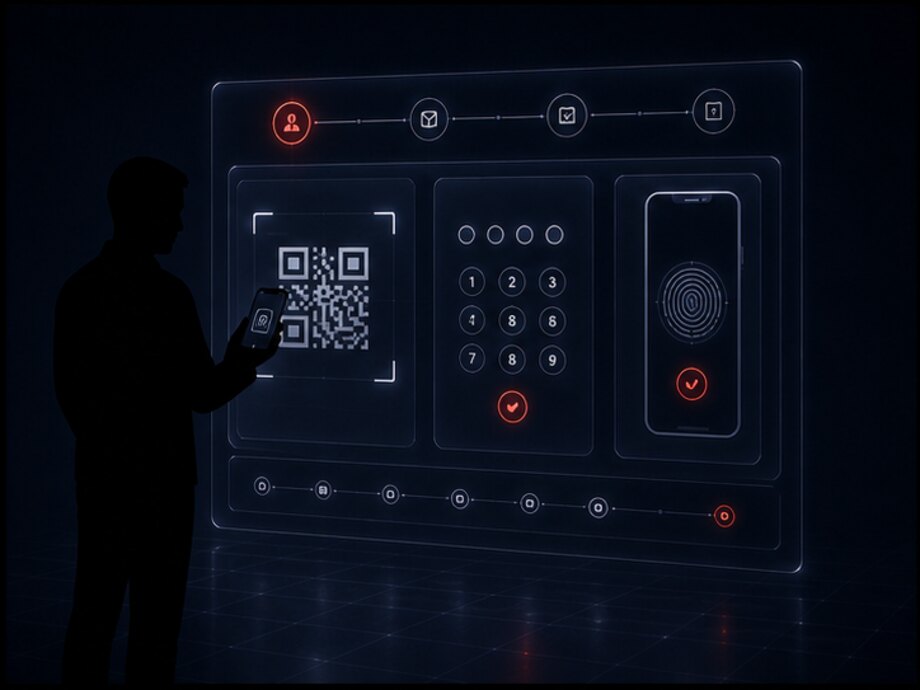
There are only a few of them, and all of them are planned for in advance — otherwise each one turns into a call to the administrator.
Identification answers one question: does this person have the right to open this locker right now. The method is chosen to suit the site and the equipment — what works at a railway station does not suit an office locker. Whether a specific method is possible depends on what is installed on the cabinet, so the set is determined during discovery.
The code is shown on a phone screen or printed on a slip, and the cabinet reads it with a scanner. Convenient for one-off visitors: there is nothing to memorize or type. It requires a scanner on the cabinet and a working screen on the user's side.
A few digits typed on a keypad or on the screen. The least demanding method: it works without a phone, without the user having internet and without extra equipment. It requires a limit on attempts and a validity period.
A contactless credential held up to a reader. The main method wherever people already carry a pass: an office, a plant, a fitness club. It often makes it possible to use the passes already issued at the site — this is confirmed by card type.
The locker is opened by a button in the app rather than by a code on the cabinet. Suited to regular users and subscriptions; it is also a convenient place to show the history, the term and the payment. It requires the user to have a connection at the moment of opening.
An existing document becomes the key: an order number, a ticket, a coupon, a delivery note. The locker is linked to it and no separate code is issued to the person. Whether this is possible depends on where the document comes from and whether it can be reached through an integration.
A fingerprint or a face instead of a code or a card. Technically it connects as one more reader, but it requires a separate decision on the storage and protection of personal data, so it is treated as a possible option for a specific project rather than as a default method.
| Site and scenario | Primary method | Why |
|---|---|---|
| One-off visitors, footfall, payment on the spot | QR or PIN | Nothing has to be issued in advance and taken back afterwards |
| Employees with passes | card | The credential is already in hand, no separate code is needed |
| Subscriptions and regular customers | app | The term, the payment and the request history live in the same place |
| Handing an item from one person to another | separate codes | The person who puts the item in and the person who collects it each have their own code |
| A site where visitors have no reliable internet | PIN only | It does not depend on a phone or on connectivity at the person's end |
The methods do not exclude each other: one cabinet can run a card for employees and a code for guests at the same time. What matters is which method is the primary one, because the validity period, the number of attempts and the reissue rules are configured around it.
This is the most physical part of the system, and whether the software tells the truth depends on it. Electronic lock is opened by a short electrical pulse: voltage arrives, the bolt retracts, the door is released. The lock itself knows nothing about people or codes.
The controller — a device inside the cabinet that the locks and sensors are wired to. It receives the command open locker 27 from the server, sends a pulse to the right output and returns the result. One controller serves dozens of lockers, so the cabinet connects to the system over a single communication channel.
Door sensor — what separates an assumption from a fact. Without it the system only knows that the command was sent. With it, it knows the door actually opened and how long it took to be closed. Whether sensors are present is a question about the specific cabinet model, and it is answered before work begins.
What is taken into account when connecting equipment:
We do not claim support for specific brands of locks and controllers in advance. The set of connectable equipment is determined during discovery, from the manufacturer's documentation and from the interface the device exposes; where no ready interface exists, the question is settled separately and before work begins, not with a promise of compatibility.
The link between the cabinet and the server breaks — that is a normal situation, not a once-a-year emergency. The behavior at such a moment is designed in advance, and there are two options.
Without an offline mode the cabinet simply stops serving: the screen reports that there is no connection and no new lockers are allocated. The belongings inside are safe, but they cannot be collected before the connection is restored without an employee.
With an offline mode the controller holds a limited set of valid codes and keeps opening lockers against them, stacking events in a queue. When the connection returns, the whole queue goes to the server. This mode is a separate design decision: it requires memory on the controller and makes code revocation less than instant.
| What the equipment returned | How it is interpreted |
|---|---|
| Command accepted, the sensor confirmed the opening | opened |
| Command accepted, the sensor is silent | needs checking |
| The door has been open longer than allowed | event |
| The controller did not answer the command | event |
| The cabinet is not coming online | event |
| The door opened without a command | event |
The sensor is silent line is the most important one. The system treats such an opening as neither having happened nor not having happened: it marks the locker as needing checking and does not allocate it to the next person until the matter is settled.
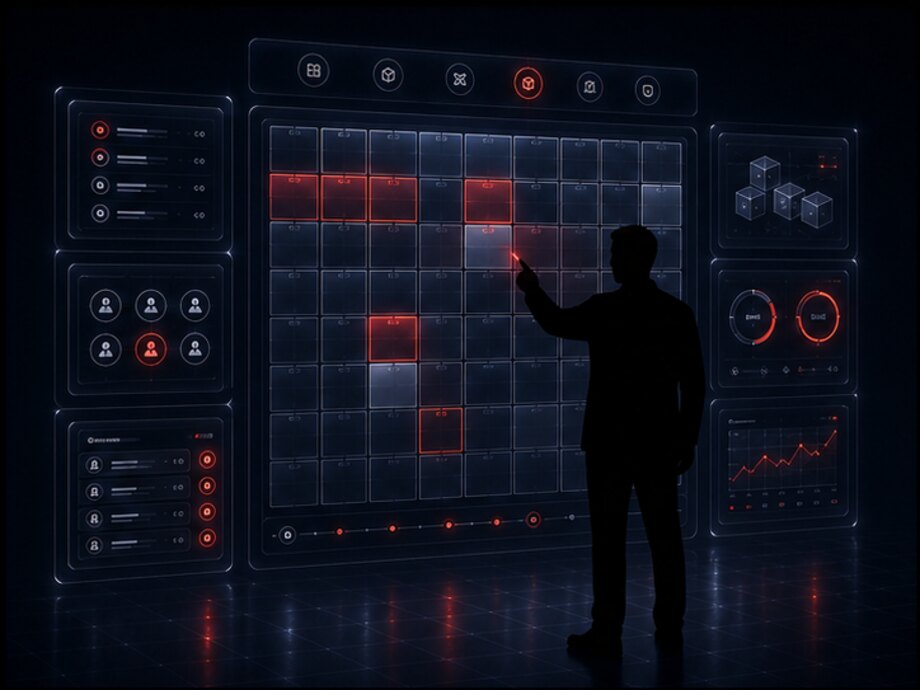
A locker is always in exactly one state, and the transitions between states are set by rules rather than by an employee's decision on the spot. These states are what add up to the answer to the question of how many lockers are free right now — and that answer has to be correct without a walk to the cabinet.
The locker is working, empty and can be allocated to the next person. Only such lockers take part in selection at allocation and in reservations.
Assigned in advance and not given to others, but nothing has been put in it yet. A reservation has a deadline: if nobody comes, the locker returns to circulation by itself.
A storage session is under way: there is an access holder, a start time and a term. This is the main working state, and the locker spends most of its time in it.
An item was placed by one person for another. The locker is occupied but the key belongs to the recipient — the handover and order collection scenario.
The storage period has expired with belongings inside. The locker is not allocated, goes onto a separate list and is handled under the site's rule — by a surcharge, a block or removal of the contents.
The opening was not confirmed by the sensor, the door was left open, or an opening without a command was recorded. Until this is investigated the locker is taken out of allocation.
The lock does not respond or the controller reported an error. The locker is taken out automatically and a task is created for the service team.
An employee took the locker out of circulation: cleaning, section repair, operational need. A block has an author, a reason and a time — otherwise it is unclear who closed ten lockers and why.
A screen from the system; the figures are illustrative. The breakdown by size type matters more than the overall figure: a site with 71% of its lockers occupied may have not a single small one free — and small lockers are what most visitors come for. The same table shows which sizes are worth adding when the cabinet is extended.
Reservations is needed wherever a person's arrival is predictable: they know they will come on Thursday and want to be sure a locker will be there. The system assigns a locker for the interval and does not offer it to anyone else.
A reservation always has a waiting deadline. Without one, a site quickly reaches the state where no lockers are free while the cabinet is half empty: people reserve and do not turn up. If they do not arrive by the agreed time, the reservation is released, the locker returns to circulation and the person receives a notification.
Types of reservation:
Handover and collection — the second scenario, in which the locker becomes a handover point between two people. One person puts an item in, another takes it out, and they never have to meet.
Technically this is the same session but with two different access rights: a drop-off code and a collection code. The first is voided once the door closes, the second becomes valid from that moment. This way the system knows not only that the locker is occupied but that the item has been dropped off and the recipient has not been yet.
Splitting the codes is not a formality. As long as there is one shared code, the question of who exactly opened the locker — the person who left the item or the person who collected it — cannot be answered. With two codes, every opening in the log has an author and a role.
Selection is not a matter of taking the first free number. The rule is configured for the site and usually takes several conditions into account at once:
The site's rule determines what happens when the period has expired with belongings inside. The options differ, and they are chosen before go-live rather than at the moment of the first case.
In every option the person is warned before the period ends, not after a penalty has been charged.
Not everyone needs a payment module: employee lockers and cloakroom compartments in a club work without money at all. But wherever a locker is rented out, money becomes part of the session, and the calculation rules have to be defined as strictly as the access rules.
How the cost is calculated. The tariff is tied to the locker size type and to time. The most common schemes are: a fixed price per session, a price per interval (hour, day) rounded up, a stepped tariff where the first hour costs more than the following ones, and a long-term subscription.
When payment happens. This is a project decision too. Paying up front for a chosen interval with a surcharge on extension is the simplest and most predictable scheme for the site. Paying afterwards, on completion of the session, requires a guarantee that the person will pay — a pre-authorization hold on the card, for example.
What belongs to the payment part of the system:
We state the boundary plainly. The specific payment methods — card, contactless, QR, payment in the app, cash through a bill acceptor — depend on the connected payment service and on the equipment on the cabinet. This is an integration whose scope is determined during discovery, not a built-in function available in every project. Fiscal requirements are set by the country's legislation and by the device model.
The rounding rule is announced to the person before payment rather than discovered in the final amount. It is the one line of the calculation that causes disputes at sites.
There is one dangerous scenario: the money is charged and the locker does not open. The system does not treat such an operation as completed — the session does not start, the locker stays free, and the payment goes into the refund queue with the reason stated.
The reverse situation — the locker opened but the payment was not confirmed — is handled just as strictly: the session is created but flagged as unpaid and lands on the investigation list. The system cannot quietly overlook a discrepancy, otherwise by the end of the month nothing will add up.
An event is any change the system is obliged to remember: an opening, a refusal, the end of a period, an employee action. Some events go out to people as messages; all of them without exception land in the log. The delivery channels — the app, a message to a phone, email, a messenger — are connected through integrations and chosen during rollout.
The access code, the locker number, the site address and the storage period. Sent at the moment of allocation and again on request if the code is lost.
A reminder before the paid time runs out, with the option to extend, and a separate message when the session goes overdue.
A message to the recipient that the item has been dropped off and the locker is waiting, and a confirmation back to the sender that the item was collected.
A locker did not open, a door was not closed, a cabinet is offline, a controller returned an error. The event is addressed: it has a site and a responsible person.
The list of lockers whose storage period has expired, with the session start time and a way of contacting the person if one was left.
An opening without a command, a run of failed code entries, a manual opening by an employee, a mismatch between payment and allocation.
| Time | Event | Grounds | Outcome |
|---|---|---|---|
| 14:05 | Locker no. 27 allocated | Session 8842, medium size type | success |
| 14:06 | Door closed | Door sensor | success |
| 16:40 | Opened by code | Session 8842, QR code | success |
| 16:47 | Door open longer than allowed | Door sensor, 6 min | event |
| 18:20 | End-of-period notification | The 40 minutes before rule | delivered |
| 18:49 | Access refused | Code entered incorrectly, attempt 2 of 5 | refused |
| 18:52 | Session closed | Confirmation on the screen, surcharge 180 | success |
| 19:14 | Service opening | Attendant Asanov, reason locker cleaning | manual |
A screen from the system; the data is illustrative. Note the 18:49 line: a failed entry attempt is an event too. A log that records only successes is no use for resolving a dispute, because refusals and manual openings are exactly what such disputes are about.
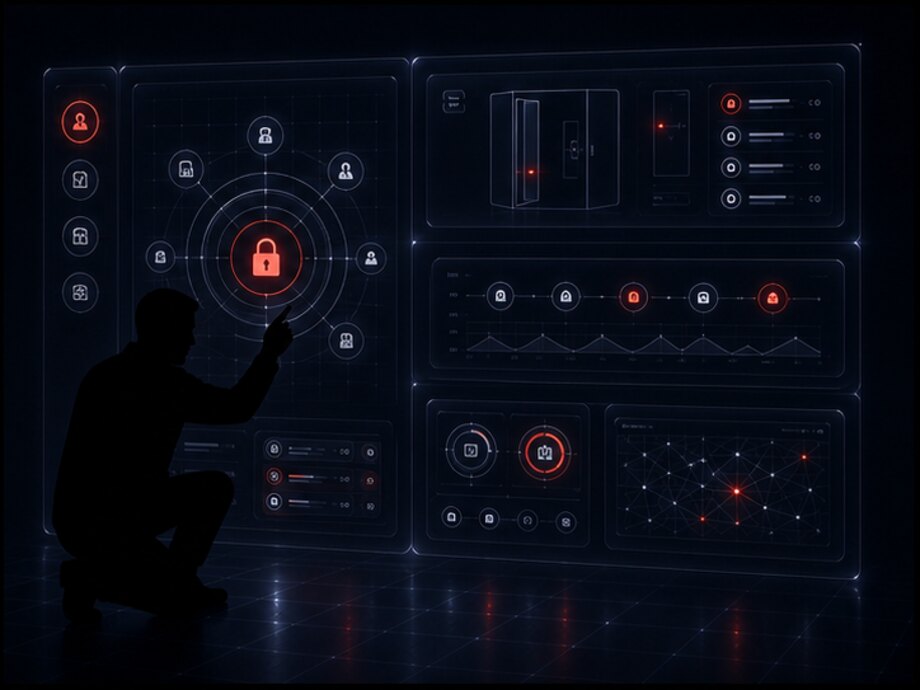
The admin panel is a workplace, not a settings screen. Most of the time an employee is looking at two things: what is happening with the lockers right now and what needs their intervention.
What is on the first screen: a map of cabinets with occupancy by size type, a list of open events by urgency, overdue lockers, lockers taken out of circulation. Not the full list of lockers one after another — otherwise at a site with two hundred lockers the first screen is useless.
What the administrator can do:
Rights are granted by role, not to a person. At a site with three employees the difference is invisible, but as soon as there are twenty, individual settings stop being auditable: nobody can say who currently holds the right to open other people's lockers. A role answers that question in one line.
The last two lines are not over-caution. The right to grant rights and the right to see personal data bypass every other restriction, so they are always kept separate rather than bundled into an administrator package.
When the cabinets stand at a single site, a list is enough. When there are ten sites, everything a single location never faces appears.
Exactly as much as the job requires: session number, locker, time, access method, payment status. Contact details, if they were collected, are shown under a separate right and with an entry in the log — the act of viewing is an event too.
What data is collected about a user is a project decision, and it is determined by the site's requirements and by legislation rather than by what the system can do. A scenario in which nothing is stored about a person beyond the locker number and the time is workable and often sufficient.
A cabinet stands unattended, and that is its defining property. Which means the system has to learn about a fault by itself — otherwise it will be reported by a visitor whose locker with their belongings did not open.
What is monitored continuously:
Silence is an event too. A cabinet that is not coming online does not mean all is well: it means nothing is known about the state of two hundred lockers and the belongings inside them. That is why a loss of connection creates the same kind of event as a lock failure instead of leaving a gap in the monitoring.
What happens to a faulty locker. It is automatically removed from selection: it will not be offered to the next person. A task is created for the service team with the cabinet number, the locker number and a description of the failure. The locker can only be returned to circulation by a note that the work is done — it does not recover on its own.
The approach to equipment monitoring is the same one we use in IoT monitoringsystems: an indicator, a norm, a hold time, an event, a responsible person. The only difference is that what is measured here is not temperature but lock response and connectivity.

There are three levels, and the level determines who the system disturbs and how quickly.
The hold time — how long the system waits before raising an alarm — is set for each event type. Without it, cleaning the hall and routine servicing turn into a stream of false messages that people stop reading.
For any period you can see, for each cabinet, how long it was online, how many lockers stood out of circulation and for how long, and how many failures fell on each locker. These figures answer a practical question: which lockers are due for replacement and which cabinet stands in a spot where the connection does not hold.
Locks and controllers
Code and card access
Administration panel
A log of every opening
Security in a system like this is not made of one measure but of several simple rules, each of which closes off a different way of getting into someone else's locker.
A code is valid within limits. Every code has a term, a locker and a number of permitted uses. A code that never expires and works on any locker is not a key but a skeleton key, so the system does not allow that state even for employees.
Codes cannot be brute-forced. The number of entry attempts is limited, entry is blocked for a while once they are used up, and a run of failures becomes an event for investigation. Without this a four-digit PIN can be guessed in an evening.
The server makes the decision. The cabinet controller does not store codes and does not decide who to let in — it carries out a command. That is why access to the equipment does not give access to the lockers, and revoking a code takes effect instantly.
Every opening is recorded. The log is immutable: a record cannot be edited or deleted, and a correction is entered as a new record. This applies to employees too — a service opening appears in a locker's history alongside an ordinary one.
Rights are separated. Viewing, manual opening, changing rules and working with personal data are different rights. A single account that can do everything is the one point of failure for the entire protection scheme.
What the system is not responsible for. It controls access but does not replace physical security: the strength of the cabinet, video surveillance in the area, staff procedures and the rules for storing valuables remain the site's responsibility. It is more honest to say so plainly than to leave the impression that software turns a cabinet into a fireproof safe.
None of these events means a violation on its own: honest people mistype codes too, and lockers are opened manually for a dozen legitimate reasons. The point of the queue is that such cases do not dissolve into the general log but gather in a separate list that someone reviews regularly.
What data is held about a user is determined by the site's scenario. One-off storage can manage without any of it — just the locker, the time and the code. A subscription requires an account. Corporate lockers are linked to the HR system. The less data is collected, the less of it has to be protected, so the scope is discussed before development rather than expanded just in case.
A storage system rarely lives on its own: it stands inside a site that already has its own software. The exchange is built through an API — an external interface another system can use to allocate a locker, get a code, check a state or pull the log. Below are the exchange directions that come up most often.
The basic way to connect: allocate a locker, issue and revoke a code, check occupancy, close a session, pull events. Everything else connects through it, including the customer's internal services.
Where people already carry cards: the locker opens with the same pass as the turnstile. It requires agreement on the card type and on the interface the existing access control system exposes.
For corporate lockers: an employee is hired and a locker is assigned; they leave and access is withdrawn and the locker freed. Otherwise within a year half the lockers are registered to people who are no longer on site.
Accepting payment, refunds, reconciling operations. The specific provider and payment methods are determined by the project, and the fiscal requirements by the country's legislation and the equipment model.
Delivering messages to users and employees: the app, messages to a phone, messengers, email. A channel is connected separately and chosen per site.
The scenario of handing over orders through a locker: the order arrives from outside, a locker is assigned, and codes go out to the sender and the recipient. This layer is covered in detail on the self-service systems page.
Passing cabinet and lock states to an external monitoring system where the site already has one, or using our own layer IoT monitoring.
Exporting data on paid sessions and payments to the accounting system. There is only ever one owner of the tariff reference data — either the accounting system or the storage system, but never both at once.
Regular delivery of the log and the indicators to the customer's data store or reporting system — for when site analytics is built inside the company's shared layer rather than separately.
We do not state a specific list of integrations in advance: whether an exchange is possible depends on the interface the system on the customer's side exposes. What connects immediately, what will require work on the other side and what will have to be handled by file exports becomes clear during discovery — before work begins, not along the way.
The equipment and the logic are the same everywhere: a locker, a lock, a code, a session, a log. What differs is the scenario, the storage period and whether the service is paid — and the differences in configuration come from exactly those three things.
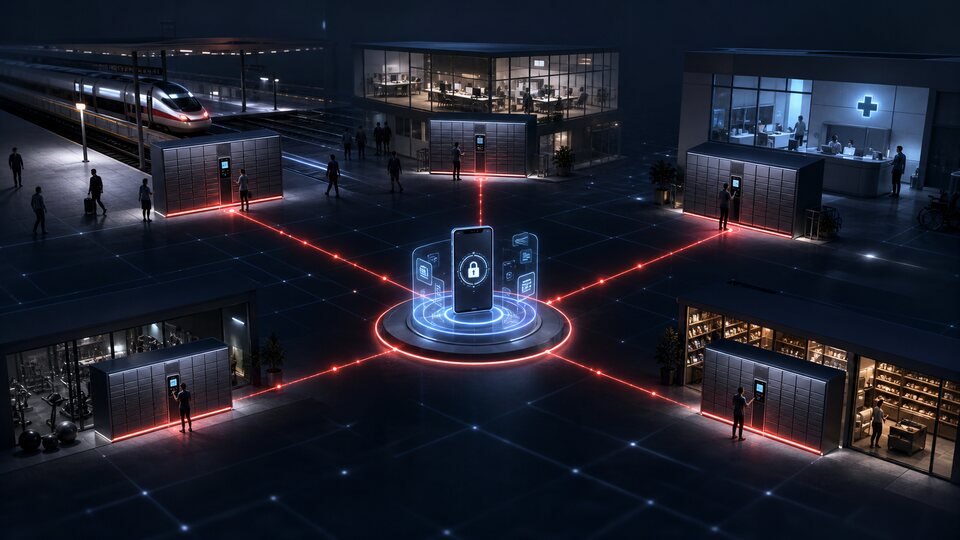
One-off storage for a few hours: purchases, strollers, bulky items. The footfall is high and the visitors are random, so what is needed is simple code access, fast allocation and a firm rule that lockers return to circulation by closing time.
Classic left-luggage storage: baggage for a few hours or days, charged by time, operating around the clock. What matters most here is reliable offline operation and a clear overstay rule — people miss their transport.
A locker for the duration of a workout, most often free and opened with a club card. The value of the system is not in payment but in the administrator being able to see which lockers are in use and open a forgotten one without breaking the lock.
A personal locker for an employee or a resident: an assigned locker, access by pass, a term set by contract. The link to the HR system removes the main problem — lockers still assigned to people who have left.
Lockers for tenants and visitors, handing documents and keys between companies without meeting. This is where the two-code scenario — one for drop-off, one for collection — is needed most often.
Storage rooms rented by the month: a long session, payment by subscription, access by card or code. The software side handles the term, extensions, blocking on non-payment and the visit history.
Lockers for tools, instruments and workwear. The point is not payment but accountability: who took what, when they returned it, what has not come back by the end of the shift. Here the log is the system's main output.
Lockers for students and visitors, issuing and receiving books and equipment through a locker. What is usually needed is a link to the existing system that tracks people rather than a separate user directory.
Lockers for visitors in the waiting area and staff lockers. The requirements for the log and for the separation of rights are higher than usual here, while the range of data collected is kept to a minimum.
The system accumulates a lot of data, but only a little of it is useful. Four questions have practical value: are there enough lockers, which sizes are needed, where is time being lost and which equipment is due for servicing.
What utilization shows. Not an average figure for the month but the distribution across hours and days: a site can be 45% utilized on average and still have not a single small locker free every Saturday between 14:00 and 18:00. The answer is to add lockers of the right size, not another whole cabinet.
The indicators calculated per site:
A failed allocation is the most underrated indicator. Occupancy is visible to everyone, but the person who walked up, found no free locker and left leaves no trace in ordinary statistics at all. And yet it is exactly that number which answers the question of whether the cabinet needs extending.
Reports export to a file and can be built on a schedule — on the first of every month across all sites at once, for example.
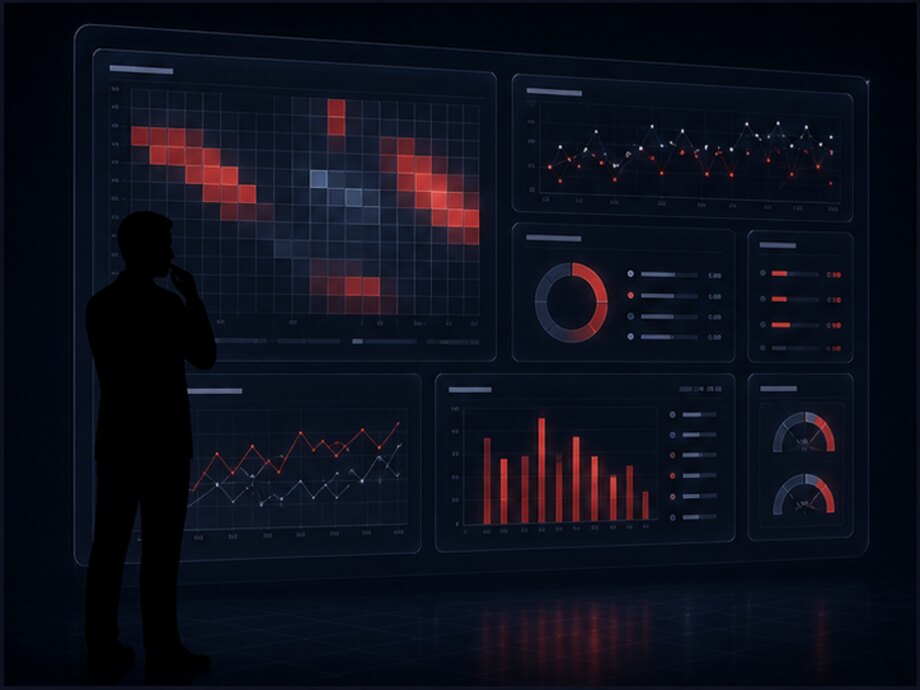
Two hours of full occupancy on the chart do not mean nicely utilized — they mean a queue and refusals. This indicator always sits next to the number of people who left without a locker; otherwise the peak reads as a success.
The stages come in exactly this order. Skipping discovery is the most common reason a system ends up built around equipment that does not accept the commands it needs.
What is already on site: cabinets, locks, controllers, readers, connectivity, power. Which scenarios are needed, whether storage is paid, who is responsible for the lockers. The output is what connects immediately, what requires work and what the site is missing.
One cabinet end to end: exchange with the controller on live equipment, verification of openings and sensors, tuning of terms, tariffs and rules against how people actually behave rather than against the documentation.
Who is responsible for which sites, which events go to whom, what counts as an emergency, how overstays are handled. Employee rights and the procedure for manual openings are configured here as well.
The remaining cabinets and sites follow the proven pattern, and new equipment types come as separate exchange modules. From there the history accumulates, and period reports and data for expansion appear.
Tell us what kind of site it is, how many lockers you have and which cabinets are already installed, whether storage is paid and who will be working with the system. We will tell you what can be connected to the existing equipment, which access scenarios would suit and where it makes sense to start the pilot.